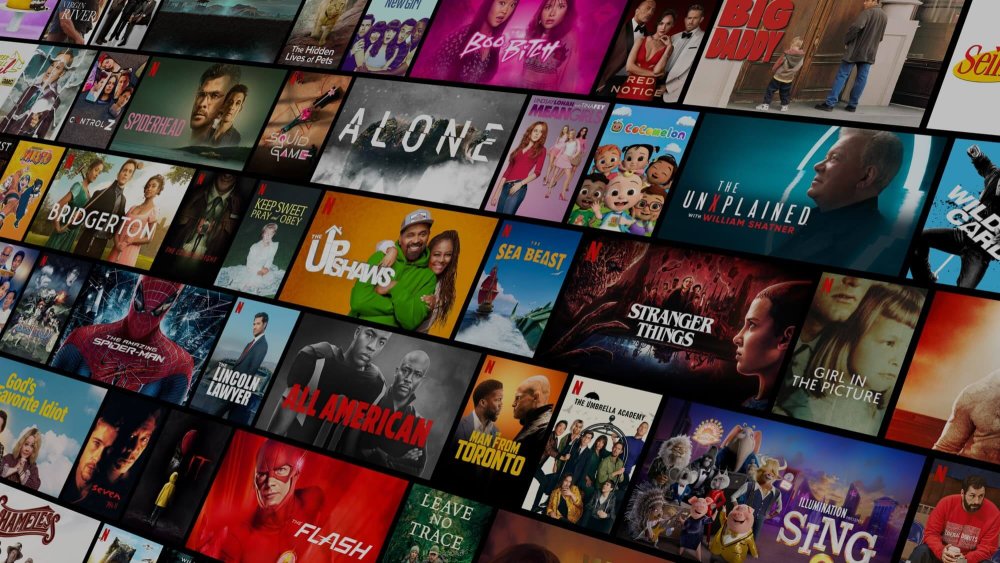
When I look for a dependable mobile streaming platform on Android, Netflix remains my primary daily driver for catching up on global cinema, original drama series, and critically acclaimed documentaries. Over the past few months of running the application on both mid-range smartphones and high-end OLED tablets, I have thoroughly analyzed its playback consistency, navigation fluidity, and offline capabilities. The platform continues to refine its mobile experience, delivering consistent performance across diverse network conditions.
My Personal Experience Streaming on Android
From the moment I set up the application on my daily smartphone, the onboarding process was remarkably straightforward. The interface opens directly into the profile selection hub, letting me access my tailored watchlist without unnecessary friction. What stands out immediately during regular use is how rapidly video streams initialize. Even when switching between mobile 5G data and home Wi-Fi networks, the adaptive bitrate player negotiates bandwidth instantly, avoiding buffering delays or abrupt quality drops.
During my hands-on playback tests, I spent significant time assessing picture rendering on both AMOLED screens and standard IPS panels. The visual clarity on 1080p and HDR-compatible titles is sharp, maintaining rich contrast in dark cinematic sequences and vibrant color reproduction in animated series. Audio synchronization remained flawless throughout my testing, whether listening through wired studio headphones, wireless Bluetooth earbuds, or built-in stereo device speakers.
Personalized Discovery and Content Organization
One aspect I frequently rely on is the algorithmic recommendation feed. Unlike generic video directories, the mobile home tab dynamically arranges categories based on my actual viewing history. When I complete a sci-fi thriller or an investigative docuseries, the interface suggests complementary international titles and director showcases that genuinely match my preferences.
Navigating through the extensive library feels responsive and clean. The bottom navigation bar allows quick transitions between home recommendations, the dedicated search tab, and downloaded media. Using the interactive search filter, I was able to locate movies and series by actor names, director credits, audio languages, and subtitle availability within seconds.
Hands-On Testing with Offline Downloads
For anyone who commutes daily or travels frequently, offline storage is a critical mobile feature. I tested the download engine by saving complete television seasons and full-length feature films directly to device storage. The application allows users to choose between standard definition for storage conservation and high definition for premium clarity.
In my real-world battery and storage benchmarks, a full two-hour feature film downloaded in high definition required roughly 1.1 GB of internal memory and took less than four minutes over standard broadband. Once downloaded, playback functioned entirely without an active network connection, making it ideal for air travel or rural areas with limited cellular coverage. The automated smart download tool also proved helpful, as it deleted finished episodes and queued the next sequential chapter automatically whenever I reconnected to Wi-Fi.
Multi-Profile Management and Parental Supervision
Managing household viewing habits on a single subscription can often get cluttered, but the multi-profile architecture solves this effectively. In my personal setup, I maintain separate individual profiles for family members alongside a dedicated kids profile. Each profile retains its own independent viewing timeline, custom watchlist, and maturity restrictions.
Setting up PIN protection for primary profiles provided complete security against accidental account alterations. For younger viewers, the kid-friendly portal replaces complex menus with intuitive character-based browsing, filtering out mature content automatically and giving parents complete peace of mind.
Integrated Mobile Gaming Capabilities
An unexpected highlight during my ongoing testing has been the mobile games tab embedded right inside the application. Rather than offering basic browser mini-games, the library features full-fledged downloadable indie and premium Android games that install directly to your device. Every game included in the catalog runs completely free of third-party advertisements, locked paywalls, or in-app microtransactions.
I tested multiple narrative adventures and casual puzzle titles directly through the platform. Game progress linked seamlessly to my main profile, allowing me to switch between watching a series and playing an exclusive game without leaving the ecosystem.
Installation and Setup Guide for Android Users
Getting the application running on your Android device is straightforward. You start by selecting the secure download link provided in our download section above to retrieve the installation package. If this is your first time installing an APK file on your smartphone, navigate to your device settings menu, open the security or privacy tab, and permit your mobile browser or file manager to install unknown applications.
Once permissions are enabled, open your file manager, tap the downloaded APK package in your storage directory, and confirm the installation prompt. The operating system will complete verification within moments. After installation finishes, launch the app from your home screen, sign in with your credentials, and begin streaming immediately.
Final Thoughts and Recommendations
After extensive hands-on testing across multiple Android hardware configurations, Netflix remains the gold standard for premium mobile entertainment. Its combination of robust video optimization, dependable offline playback, multi-profile customization, and zero-ad gaming makes it an essential application for Android users seeking high-quality streaming on the go.
What's New
Bug fixes and performance optimizations in the latest update.




 Join
Join

Comments (0)